Guide
Cross Stitch Pattern Generators: What Automatic Conversion Can and Can't Do
The short answer
A cross stitch pattern generator automatically shrinks an image to a stitch grid, reduces its colours to a small palette and assigns symbols. It does this arithmetic well, but it cannot judge which details matter, invent detail smaller than one stitch, or match real thread colours exactly. The best results come from good source images, sensible limits and a short manual editing pass.
“Upload a photo, get a pattern” sounds like magic. It isn’t, and knowing what’s really happening helps you get far better results from any generator, including the one on this site. Here’s an honest, technical-but-readable look at what automatic conversion does well and where you still need a human eye.
What a generator actually does
1. Resampling
The image is reduced to the grid size you choose. Each stitch represents a block of source pixels. In photo mode the block is averaged (more precisely, weighted by how much of each pixel falls inside the stitch), which smooths noise. In pixel-art mode the centre pixel is copied exactly, which preserves hard edges (why that matters).
2. Colour quantization
Thousands of colours become a small palette. This step is called colour quantization. Our engine:
- groups colours with a weighted median cut in a perceptual colour space (OKLab), so groups reflect how different colours look,
- refines the groups with a few rounds of k-means averaging,
- maps every stitch to its nearest palette colour.
It’s deterministic: the same image and settings always give exactly the same chart. And transparent pixels become empty squares, never a made-up white thread.
3. Optional dithering
Error diffusion dithering spreads each stitch’s colour error to its neighbours to suggest gradients. It looks smooth on screen and adds lots of isolated stitches on fabric, so it’s off by default.
4. Symbols and counts
Each colour gets a unique symbol, and stitch counts are computed from the final grid, after any edits, so they always match what you’ll stitch.
What generators do well
- Turning photos into recognisable charts in seconds
- Exact, consistent counting and sizing
- Producing printable, multi-page charts with keys
- Preserving pixel art perfectly
- Letting you try ten settings in the time it would take to chart one square by hand
What they can’t do
Judge importance
The algorithm treats an eye and a patch of wallpaper the same way. It can’t know that a single light stitch in a pupil is essential while a single light stitch in a background is noise. That’s why our cleanup tool lets you protect areas before merging isolated stitches (confetti guide).
Create detail below the grid
A 60-stitch-wide portrait has 60 columns. Eyelashes, fine text and distant faces simply don’t exist at that resolution. Bigger grids or tighter crops are the only fix.
Match thread colours exactly
Screen colours aren’t thread colours (explained here). Generators that print brand thread codes are approximating, too. We use custom colours with descriptive names and leave the final thread choice to your eye.
Choose the right palette for meaning
Automatic grouping optimises an average error. It may merge the two blues that make a sky interesting, or spend three colours on shades of beige wall. A quick manual pass (recolour, merge, or raise the limit) fixes this.
Remove backgrounds intelligently
Separating subject from background reliably needs much more than colour grouping. Our approach is honest and manual: mark a background colour as no stitch, erase leftovers, and undo anything you don’t like.
How to get the best from any generator
- Start with a clear photo and crop tightly (how to choose).
- Choose size by purpose, not maximum detail.
- Begin with 12–16 colours, then adjust.
- Leave dithering off unless you want the texture.
- Run a stitchability check, protect details, and clean up.
- Spend ten minutes editing: fix eyes, outlines and text by hand.
- Test-stitch the most important area.
When to skip automatic conversion
- Lettering: use a stitch alphabet instead of converting text images.
- Simple motifs and icons: drawing on a blank grid is often faster and cleaner.
- Logos and characters you don’t own: the rights issue doesn’t go away because software made the chart.
A generator is a power tool, not an artist. Used with intention, it saves hours of counting and leaves the creative decisions where they belong: with you.
Worked example: same photo, different settings
Converting one portrait photo with different settings shows what each choice really does:
| Setting change | What you’ll see |
|---|---|
| Width 60 → 120 stitches | Facial features become recognisable; four times as many stitches |
| Colours 24 → 12 | Flatter shading, fewer thread changes, fewer isolated stitches |
| Dithering off → on | Smoother gradients on screen, far more speckle on fabric |
| Photo mode → pixel-art mode | Harder edges, no averaging; noisy on photos |
| Simplify 0 → 2 | Fewer lone stitches; small details may soften |
The “best” settings depend on the purpose: a quick gift favours fewer stitches and colours; a showpiece portrait favours more of both.
How this generator handles the tricky parts
- Colour grouping uses a perceptual colour space (OKLab), so colours are grouped by how different they look rather than by raw RGB numbers.
- Transparency is preserved as empty fabric instead of being turned into white thread.
- Counts are always recomputed after edits, so the key matches the chart you print.
- Symbols are unique shapes for every colour, readable in black and white.
- Everything runs locally, so private photos are not uploaded.
A realistic expectation
Think of the generator’s output as a strong first draft. The final 10% (eyes, outlines, a merged colour or two, a cleaned background) is where a pattern becomes yours, and the Studio is built for exactly that pass.
A quick test for any pattern generator
Before trusting a tool with a big project, try one small, simple image and check these points:
| Check | Good sign | Warning sign |
|---|---|---|
| Colour count | It reports the colours actually used | It only shows the number you asked for |
| Stitch counts | Counts per colour add up to the total | No per-colour counts, or totals that don’t match the grid |
| Thread codes | Codes are labelled as nearest or approximate | Codes presented as “exact matches” |
| Size | Finished size shown for your fabric count | Only pixel or stitch dimensions |
| Printing | Multi-page PDF with overlap and page numbers | One huge image you have to tile yourself |
| Privacy | Says where your photo goes | Requires an upload with no explanation |
This site’s tools are built to pass every row: colours and stitch counts come from the final grid, DMC codes are always labelled as the nearest match, sizes are shown for your fabric, and photos are processed on your device without being uploaded.
Where a person still makes the difference
A generator can’t know which details matter to you. Faces, eyes, lettering and small highlights are where five minutes of manual editing in the Studio changes the result most. Generate, look at the stitched preview from a distance, then fix the few areas your eye goes to first.
Questions stitchers ask
Is an automatic pattern ready to stitch?
Often nearly, but a short editing pass helps: fix eyes and outlines, merge near-duplicate colours and reduce isolated stitches.
Why does the same photo look different in other generators?
Generators differ in how they resample, which colour space they use for grouping, and whether they dither. Settings such as width and colour count matter just as much.
Do generators use AI?
This one uses classic image processing (resampling, median cut and k-means colour grouping). It does not invent new content or upload your photo.
Can a generator remove backgrounds?
Not reliably by colour alone. Here you choose which colour becomes no stitch and can erase the rest by hand.
Try it now
Everything in this guide works in the free cross stitch pattern maker, right in your browser, with no account.
Use the cross stitch pattern maker →A pattern to practise with
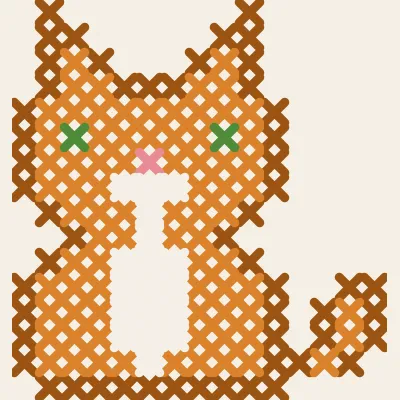
Sitting Cat
A simplified ginger cat with a white chest, 15×16.